
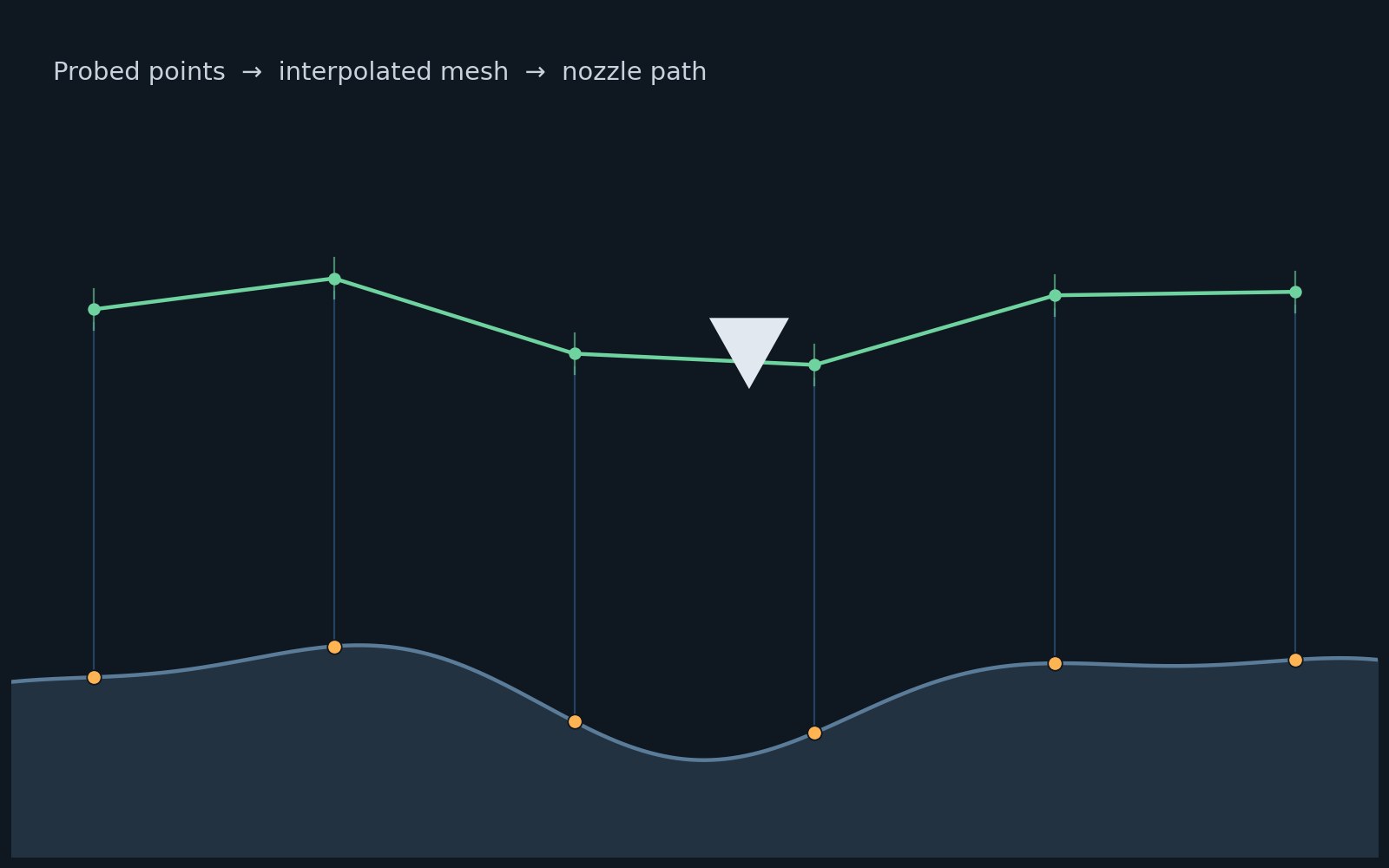
 Modern bed leveling doesn’t flatten the plate. It maps it, then quietly steers around whatever warp is left.
Ask anyone who owned a desktop 3D printer a decade ago what the worst part of the hobby was, and bed leveling usually comes up before layer adhesion or filament jams do. You’d loosen four thumbscrews, slide a sheet of paper under the nozzle at each corner, and nudge each screw until the paper dragged with just the right amount of friction. Do it wrong and the first layer either scraped bare aluminum or floated a millimeter above the bed, refusing to stick at all. That ritual has largely disappeared from modern machines, not because beds got flatter, but because printers stopped assuming they could be.
The shift is called mesh bed leveling, and the idea is closer to surveying than flattening. A probe, usually an inductive sensor, a load cell, or a strain-gauge-based nozzle, touches down at a grid of points across the plate and records the height at each one. Prusa’s implementation interpolates those readings into what its documentation calls a “virtual mesh of the bed,” then adjusts nozzle height in real time as the print head moves across it, following the bed’s actual topography rather than an idealized flat plane (Prusa Knowledge Base). Their MK3S+ printers default to a 3x3 grid of nine points but support up to 7x7, forty-nine points, for beds with more localized warping; the newer MK4 line swaps the proximity sensor for a load cell built into the nozzle assembly, so the same probing happens with the part that actually touches the plastic. Marlin firmware, which runs a large share of the open-source printer ecosystem, offers a similar menu of options: three-point leveling for a simple tilt correction, linear grid for a broader tilt matrix, or bilinear grid mesh compensation for beds with irregular, non-planar warp that a flat correction can’t fix (Marlin Firmware docs). Once the mesh is stored, it just sits there compensating, quietly, for every layer of every print.
Bed leveling solved the vertical problem. A second, less visible ritual took longer to automate: getting rid of ringing, the faint rippling pattern that shows up on vertical walls near sharp direction changes, like the surface of a pond after you’ve dropped a stone in the wrong place. The cause is mechanical, not visual. A printer’s frame, belts, and gantry all have natural resonant frequencies, and a sudden acceleration or deceleration during a fast corner can excite one of them. The frame keeps vibrating for a few milliseconds after the motion command has already finished, and the nozzle, still extruding, traces that leftover vibration straight into the plastic.
Klipper firmware attacks this with an accelerometer rather than a guess. Running its TEST_RESONANCES command physically vibrates each axis while a mounted sensor, commonly an ADXL345, records the frequency response, and a companion script then identifies which frequencies the frame amplifies most (Klipper documentation). Armed with that data, an input shaper reshapes the motion commands before they ever reach the stepper motors: instead of one sharp acceleration pulse, it sends a short, phase-timed sequence of smaller pulses calculated so their combined vibrations cancel each other out at the frame’s known resonant frequency. It’s the printing equivalent of pushing a swing with a series of small, precisely timed nudges instead of one hard shove, both get the swing moving, but only one avoids sending it wildly off its natural rhythm. In practice this trims measured vibration at the tuned frequency down toward the low single digits, letting printers run meaningfully faster through corners without the ripple that speed used to cost.
Commercial machines have folded a version of the same philosophy into standard operation rather than an optional calibration step. Bambu Lab’s flow rate and pressure advance calibration routines run automatically at the start of many prints, adjusting extrusion timing per filament rather than relying on a value the owner tuned once and forgot (Bambu Lab Wiki). None of this makes a badly built printer good. What it does is take three separate, error-prone human judgment calls, is the bed flat, is the frame resonating, is the flow rate right, and hand each one to a sensor that can check itself before every print instead of once, months ago, when the machine was new. If you’ve got a printer built in the last few years, it’s worth checking whether these routines are already running quietly in the background. There’s a decent chance the machine has been recalibrating itself the whole time.