
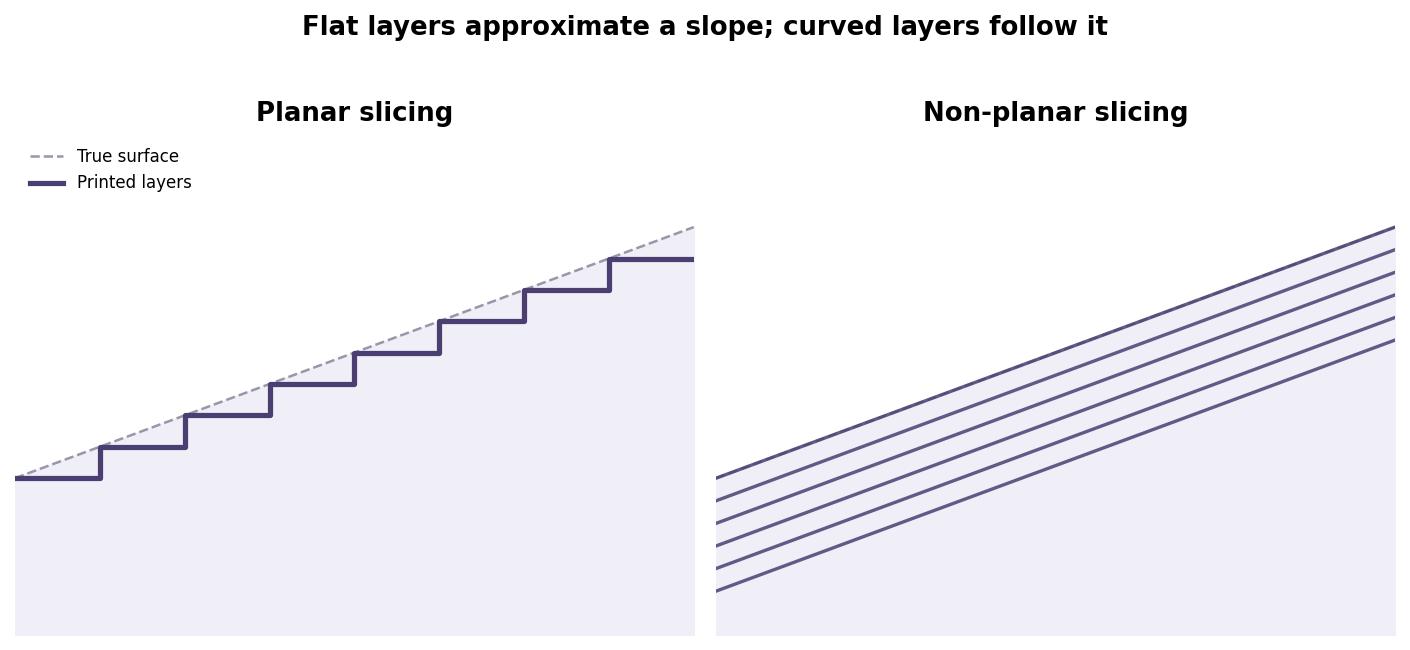
 Flat layers approximate a slope as a staircase. Curved layers trace it directly.
Run your finger down the side of a 3D-printed vase and you can usually feel it before you see it: a faint ridged texture, like the rings inside a tree trunk, wherever the surface leans away from vertical. That texture is called stair-stepping, and it is not really a defect so much as a structural habit. For three decades, almost every slicer, the software that turns a 3D model into instructions a printer can follow, has built objects one flat horizontal layer at a time. A sloped surface gets approximated as a staircase of thin flat steps, because flat layers are the one thing a standard three-axis printer can lay down without its nozzle crashing into material it already printed.
Why not just tilt the layers to match the slope? Printers have been able to move in curves for years. The problem was never motion, it was collision. A nozzle trying to deposit a curved layer that dips below a neighboring region still being built up will drag through wet plastic or knock a finished wall loose. Early non-planar experiments worked only on gently sloped, isolated surfaces, which kept the idea confined to research labs rather than desktops.
The first real crack in that wall came from a 2019 University of Hamburg thesis. Researcher Daniel Ahlers modified the open-source slicer Slic3r to detect near-horizontal regions automatically, check each one for collisions against what had already been printed, and bend the toolpath to follow the surface instead of cutting across it. Printed on an ordinary Ultimaker 2, the resulting parts lost their stair-stepping on those regions and came out, in the researchers’ own description, demonstrably stronger. The code went up on GitHub, and hobbyists noticed.
That hobbyist interest eventually reached PrusaSlicer. A developer using the handle EiNSTeiN built a non-planar fork of PrusaSlicer 2.6, drawing on Ahlers’ earlier work, and the YouTuber behind Teaching Tech packaged a portable Windows build that let anyone with an ordinary desktop printer try it. The catch was hardware, not math: most hotends simply lack the clearance to tilt or dip the way a non-planar path demands, bed-leveling routines assume flat layers, and plenty of models still cannot be sliced reliably. Non-planar printing worked, in other words, but it remained a project for tinkerers willing to fight their printer for the result.
What changed the calculus in 2025 was not new hardware. It was math that got dramatically cheaper to compute. A team spanning the Istituto Italiano di Tecnologia and the Université de Lorraine, CNRS and Inria introduced QuickCurve, a method that fits a single curved slicing surface to a model by solving one least-squares problem, with no tetrahedral mesh and no iterative solver passes. Earlier non-planar approaches such as Curvislicer could take minutes per model because they searched for a workable surface step by step. On a test car model, the paper reports Curvislicer needing 871.7 seconds where QuickCurve needed 19.2, a jump of roughly 45 times. That difference matters more than it might sound: it is the gap between a slice you queue overnight and a slice you can tweak and re-run while you are still deciding on the part.
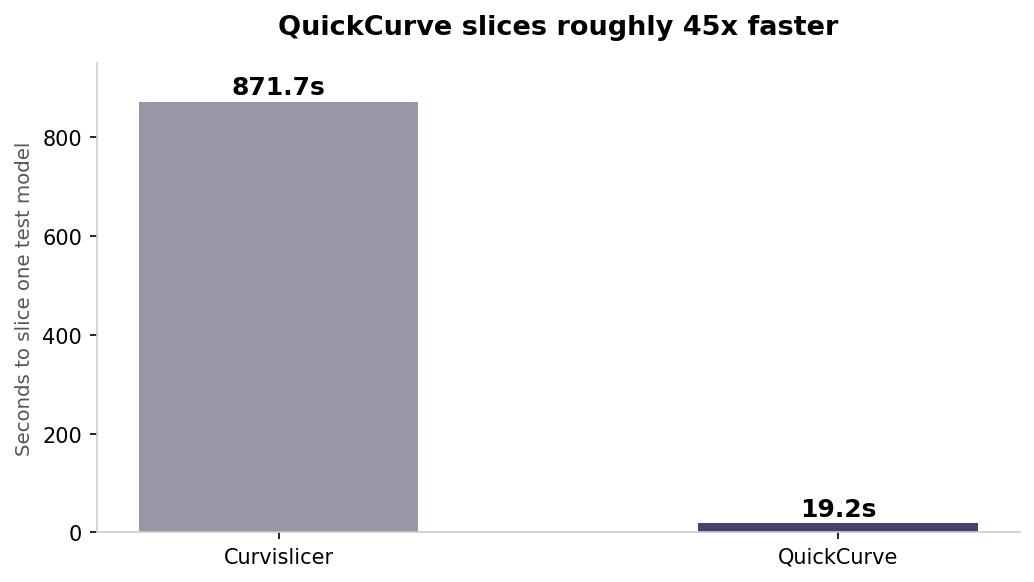 Same model, same curved surface. The only thing that changed was the solver.
The same research group has already followed up with Double QuickCurve, extending the approach to a wider range of three-axis setups, while a separate line of research out of Hong Kong is tackling the harder case of multi-axis printers, using a volumetric field to curve layers around overhangs and holes that would normally need support material. None of this ships inside Cura or Bambu Studio yet. But the pattern is a familiar one from plenty of other slicer features, support generation and adaptive layer heights among them: a university paper proves the concept, a hobbyist fork makes it usable, and eventually a mainstream slicer folds it in as a checkbox.
If you want to see the gap between where the software is and where the hardware is, it is a short search away. Pull up one of the non-planar PrusaSlicer forks, load a model with a gentle dome or a propeller-like curve, and watch the preview trace layers that climb and dip instead of stacking flat. Your printer probably cannot execute all of it yet. But the toolpath will already know what a curved surface is supposed to look like, which is more than slicers could say two or three years ago.